Keys stay on your Mac
Your seed phrase and private keys are created on this computer and kept in a password-encrypted wallet file. Nothing is uploaded and nothing is synced to a cloud.
Selectrum is a non-custodial wallet with a fast, familiar Electrum-style interface. Keys are created on your computer and never leave it — no account, no cloud, no tracking.
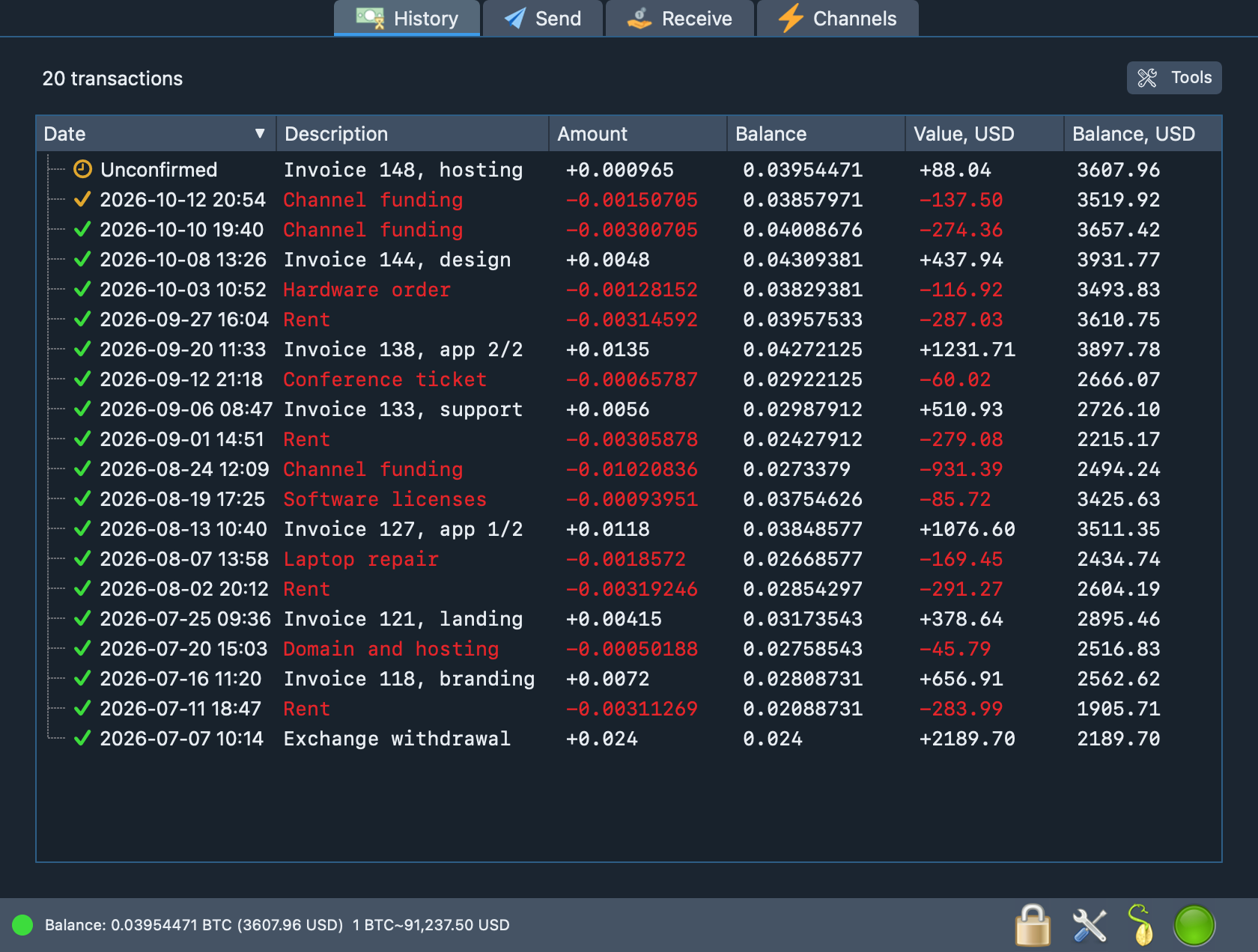
A demo wallet with a sample history. It holds no real funds.
The model is deliberately small: your computer holds the keys, public Electrum servers supply blockchain data, and nothing else is in the loop.
Your seed phrase and private keys are created on this computer and kept in a password-encrypted wallet file. Nothing is uploaded and nothing is synced to a cloud.
Write down twelve words once. If the Mac is lost, the same words rebuild the wallet on any compatible app; balances and history come back from the blockchain.
There is no blockchain to download. Selectrum asks Electrum servers about your addresses, shows the progress, and caches the result so the next start is quick.
BIP39 and Electrum seed phrases, BIP32 derivation, BIP44, BIP49 and BIP84 address types. Your seed is not trapped inside this app.
Let the app choose a public Electrum server, pin the one you like, or connect to your own node. No single company stands between you and the network.
Every payment is previewed and signed on your Mac, and the signature is verified once more before the transaction is broadcast. Replace-by-fee is on by default.
Import an extended public key or a list of addresses to follow balances and history with no private keys on the machine at all.
An LDK-based node lives inside the app: open and close channels from your on-chain balance and see capacity, sendable and receivable amounts at a glance.
Route all traffic through a SOCKS5 or HTTP proxy such as Tor and keep the proxy password in the macOS Keychain. No accounts, no analytics, no crash reporting.
Real screens of the app, filled with the activity of a demo wallet: a few months of payments, requests, invoices and Lightning channels.
Dates, confirmations, your own notes and the running balance in bitcoin and in fiat. Filter by period, export to CSV, open a balance chart or a summary of the whole history.
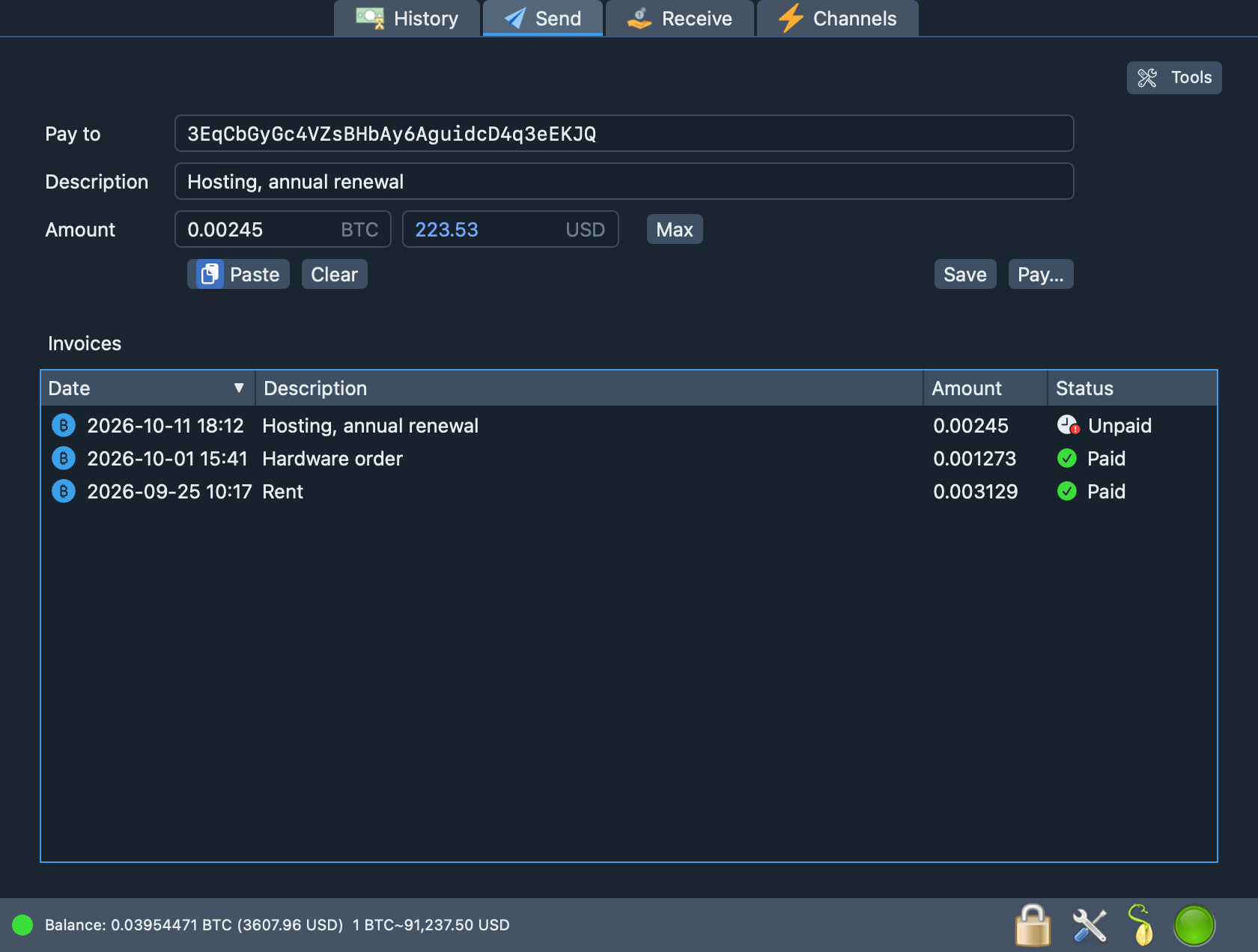
Type an address or paste a bitcoin: link, add a note, enter the amount in BTC or in fiat. Saved invoices remember what is still unpaid and what has already been settled.
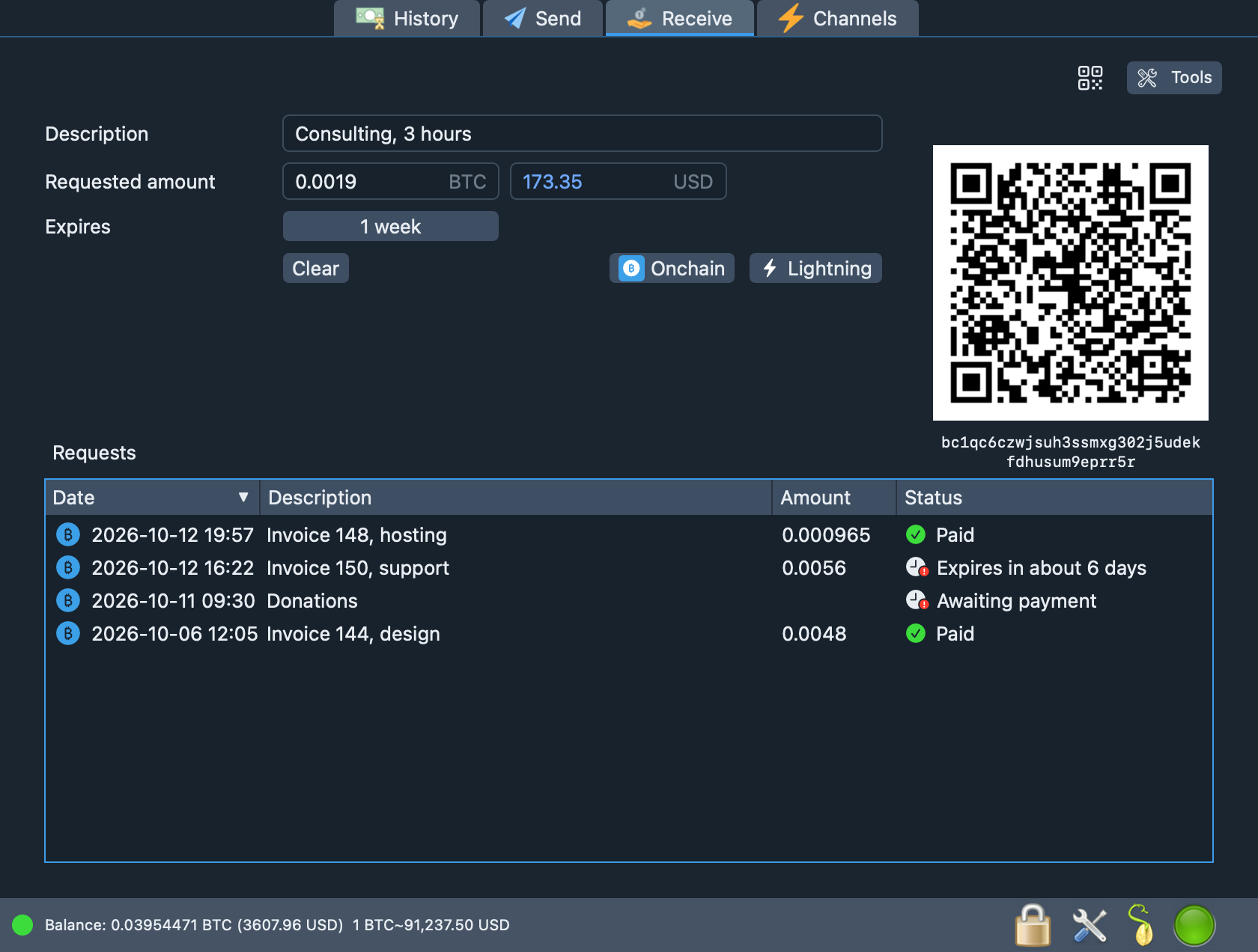
Create a payment request with an amount, a note and an expiry. Each one gets its own address and QR code, and the list shows which are waiting, expired or paid.
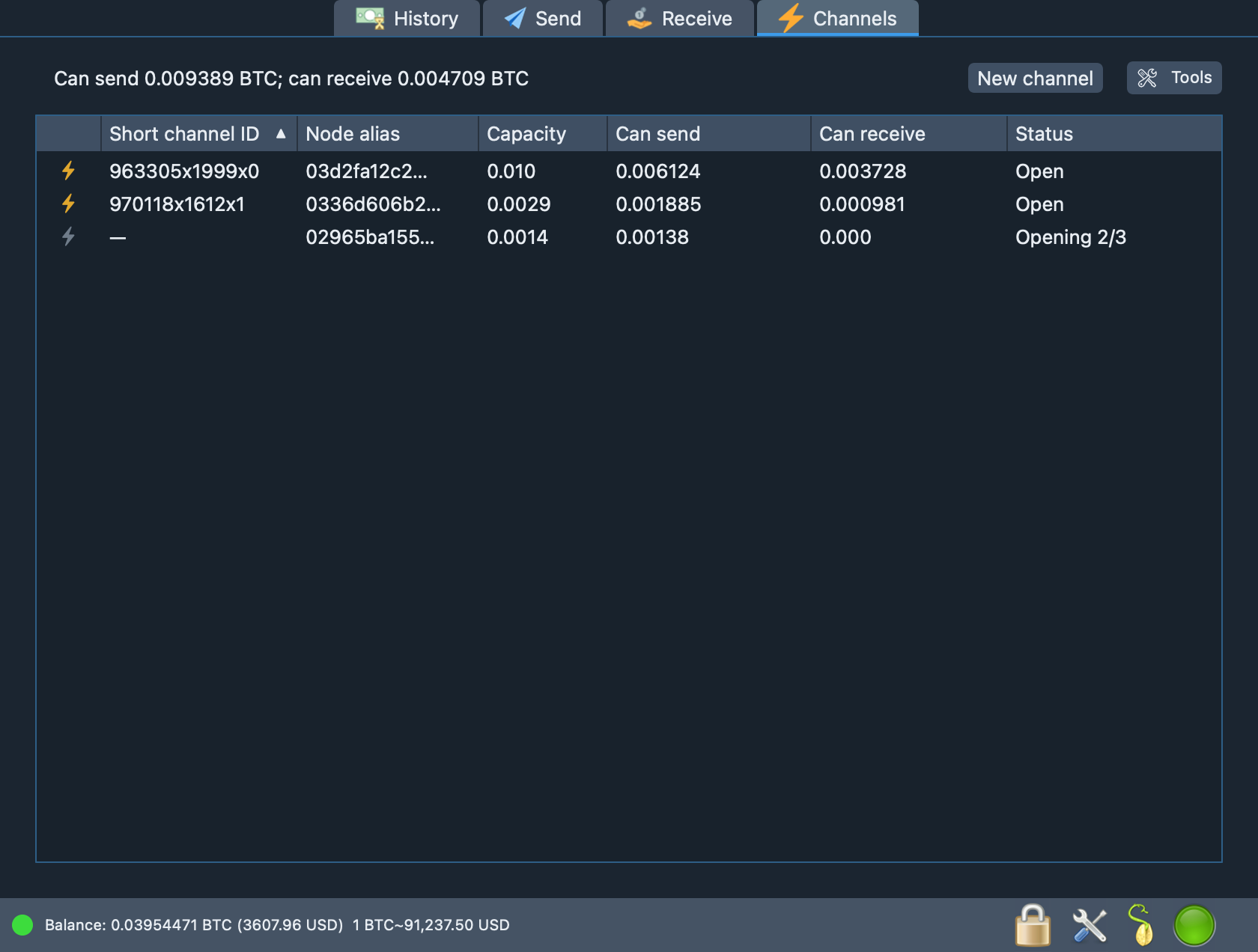
Open and close channels and watch capacity, how much you can send and how much you can receive. A balance view splits your funds between on-chain and Lightning.
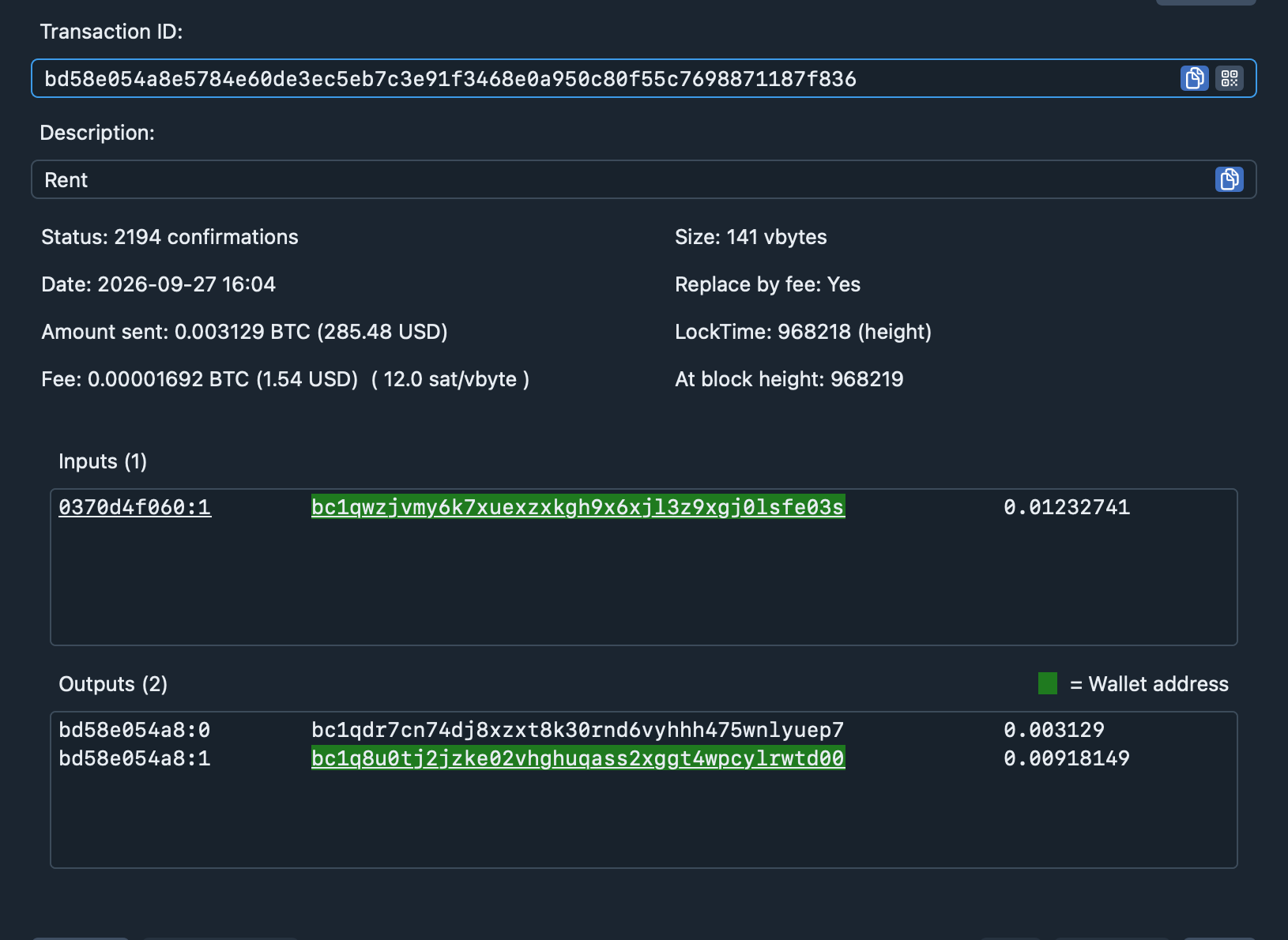
Open any transaction to see its inputs, outputs, size, fee rate, lock time and block height. Addresses that belong to your wallet are highlighted.
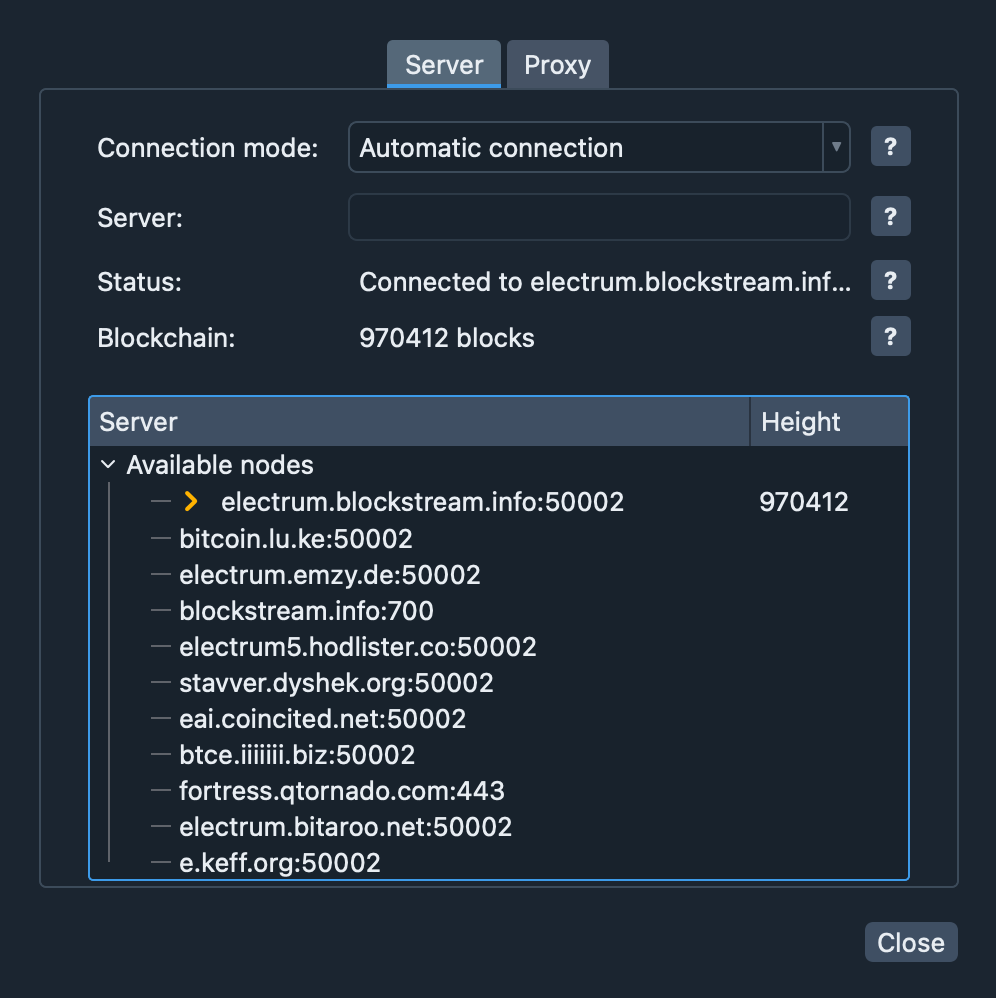
Connect automatically, pick a server by hand, or send everything through a proxy. The window shows which server you are on and how high its chain is.
A wallet is a set of keys plus a view of the blockchain. Selectrum keeps the first part on your Mac and borrows the second from Electrum servers.
Generate a new twelve-word seed phrase or enter one you already have, then set a password for the wallet file.
The app derives your addresses and asks a server for their history. New blocks and payments arrive as pushes.
Make a payment request with an amount, a note and an expiry. Share the address or the QR code.
Choose the fee, review the preview and enter your password. The transaction is signed locally, then broadcast.
No magic and no hand-waving: a short list of things the app does, and an honest list of things it does not.
Generated from 128 bits of system randomness, derived with BIP32, used only on this Mac. Transactions are signed locally with deterministic RFC 6979 nonces.
The wallet is sealed with AES-256-GCM. The key comes from your password through PBKDF2-HMAC-SHA512 with 300,000 rounds and a random salt.
Electrum protocol over TLS with certificate validation or fingerprint pinning, optional SOCKS5/HTTP proxy, and your proxy password kept in the Keychain.
Selectrum embeds an LDK Node. Its keys are derived from your wallet seed in a separate domain, its chain data comes from the same Electrum server, and a channel is funded from your on-chain balance in a couple of clicks.
Today the app manages channels: open, close, monitor. Sending and receiving Lightning payments is not available yet, and we say so here instead of in the fine print.
How channels work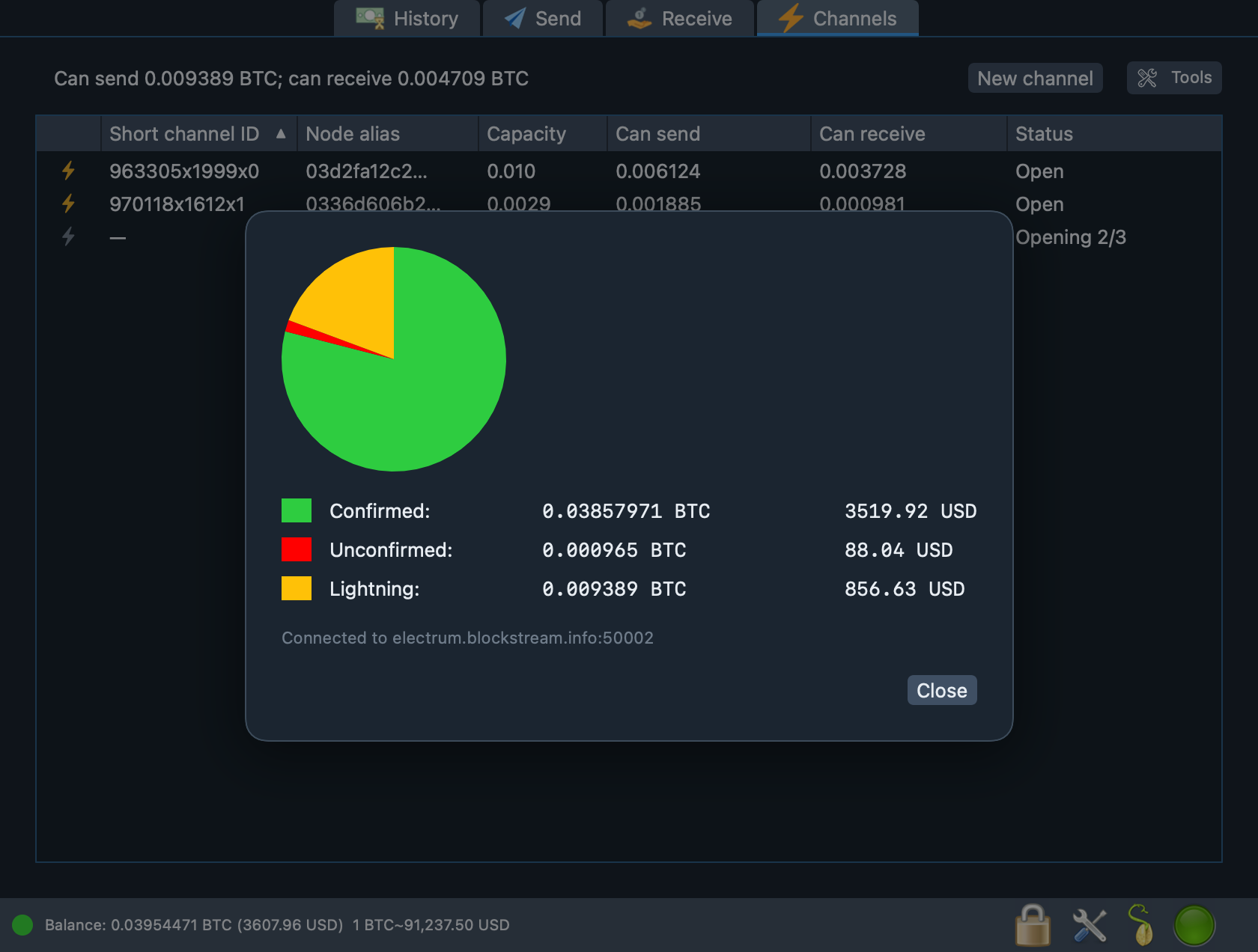
No. Selectrum never holds your bitcoin and has no servers that could. The keys that control your coins are generated on your Mac and are stored only in your encrypted wallet file. That also means nobody, including us, can recover them for you: keep your seed phrase safe.
Install Selectrum (or another wallet that supports the same seed type) on a new computer and enter your twelve words. Your balance and history are rebuilt from the blockchain. Without the words and without the wallet file the coins cannot be recovered by anyone.
No. Selectrum talks to Electrum servers, which index the blockchain and answer questions about your addresses. That is why it starts in seconds. The trade-off is that you rely on the server for history; see Security for what this means and how to reduce the trust.
Standard BIP39 phrases (with an optional passphrase) and Electrum seed phrases of the Standard and SegWit types. You can also create a new twelve-word phrase, import an extended key, or watch a list of addresses.
Not yet. Selectrum runs a Lightning node and lets you open and close channels, but sending and receiving Lightning payments and invoices is not implemented in this version. On-chain payments are fully supported.
No multi-signature wallets, hardware wallets, PSBT files or manual coin control, and there is no SPV proof checking. The limits are listed openly so that you can decide whether Selectrum fits your needs.

A native macOS app. Dark interface, in English.
Start with a small amount, restore the wallet from its seed phrase once to prove that your backup works, and only then move more. Read the Terms of Use and the Privacy Policy before you install.