 Selectrum
How Selectrum works
A wallet is two things: the keys that can spend your coins, and a view of the blockchain that shows what you own. Selectrum keeps the first strictly on your Mac and borrows the second from Electrum servers.
The big picture
Steps outlined in blue need a secret and happen only on your Mac. Everything that touches the network carries only public information.
Looking at the blockchain
- Seed phrase12 words, BIP39 or Electrum
- Master keyBIP32, on your Mac
- AddressesBIP44 / 49 / 84 paths
- Electrum serverAsked by script hash, over TLS
- History & coinsCached in your wallet file
- BalanceIn BTC and in fiat
Sending
- Choose coinsChange goes to a fresh address
- BuildFee from the network estimate
- Sign locallyYour password unlocks the key
- VerifySignature checked again
- BroadcastOnly the finished transaction is sent
- ConfirmationsWatch it settle in History
Create or restore a wallet
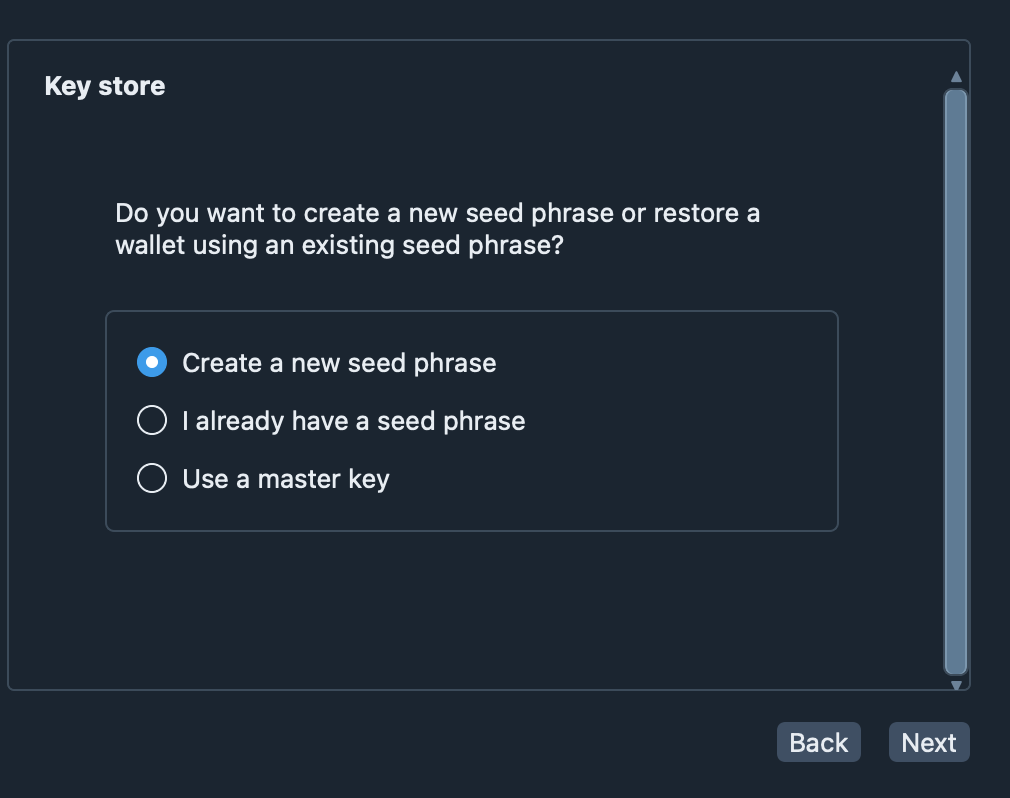
The first window asks whether you want a new seed phrase, already have one, or want to use a master key. A new phrase is twelve words generated from 128 bits of the system’s secure random number generator, with a checksum so typos are caught. You are asked to write it down and to type it back.
- BIP39 and Electrum (Standard and SegWit) seed phrases are supported.
- A BIP39 passphrase can be added as an extra, separate secret.
- An extended public key or a list of addresses creates a watch-only wallet.
Protect the file with a password
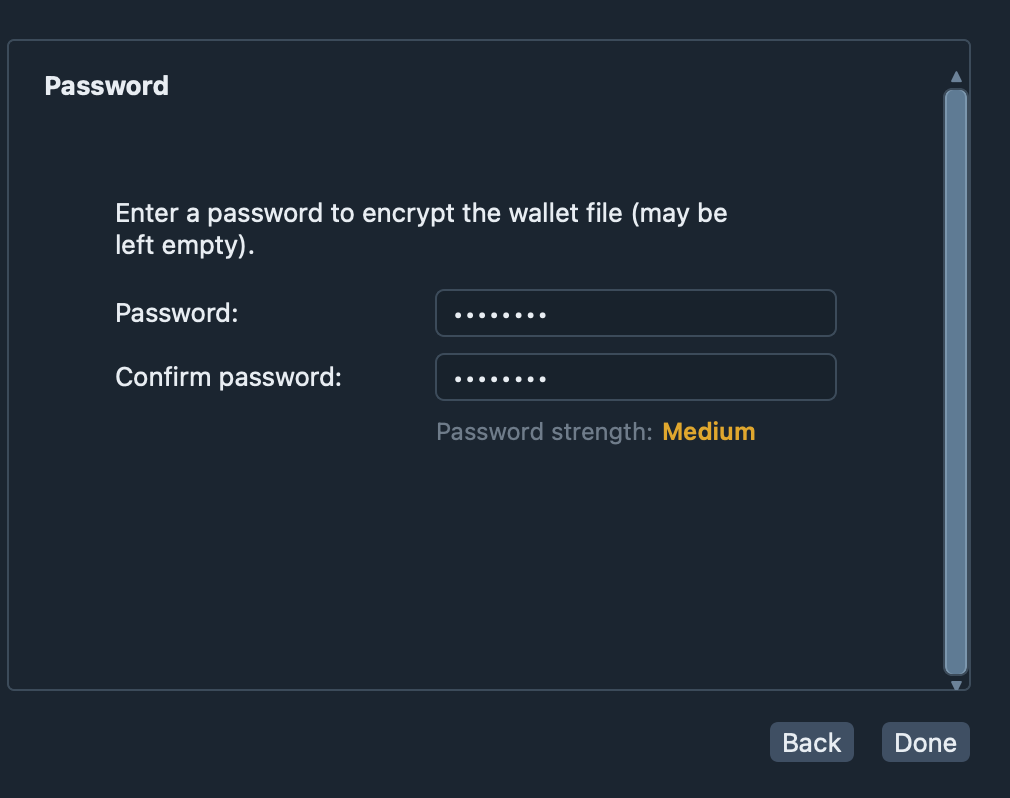
The wallet is stored as one file in the app’s own folder. If you set a password, the whole file is sealed with AES-256-GCM; the key is stretched from the password with PBKDF2-HMAC-SHA512 and 300,000 rounds. A strength indicator helps you choose a good one.
The same password is asked again before every signature, so a stranger at an unlocked Mac still cannot move your coins. If you leave the field empty the file is stored unencrypted — possible, not recommended.
Synchronise
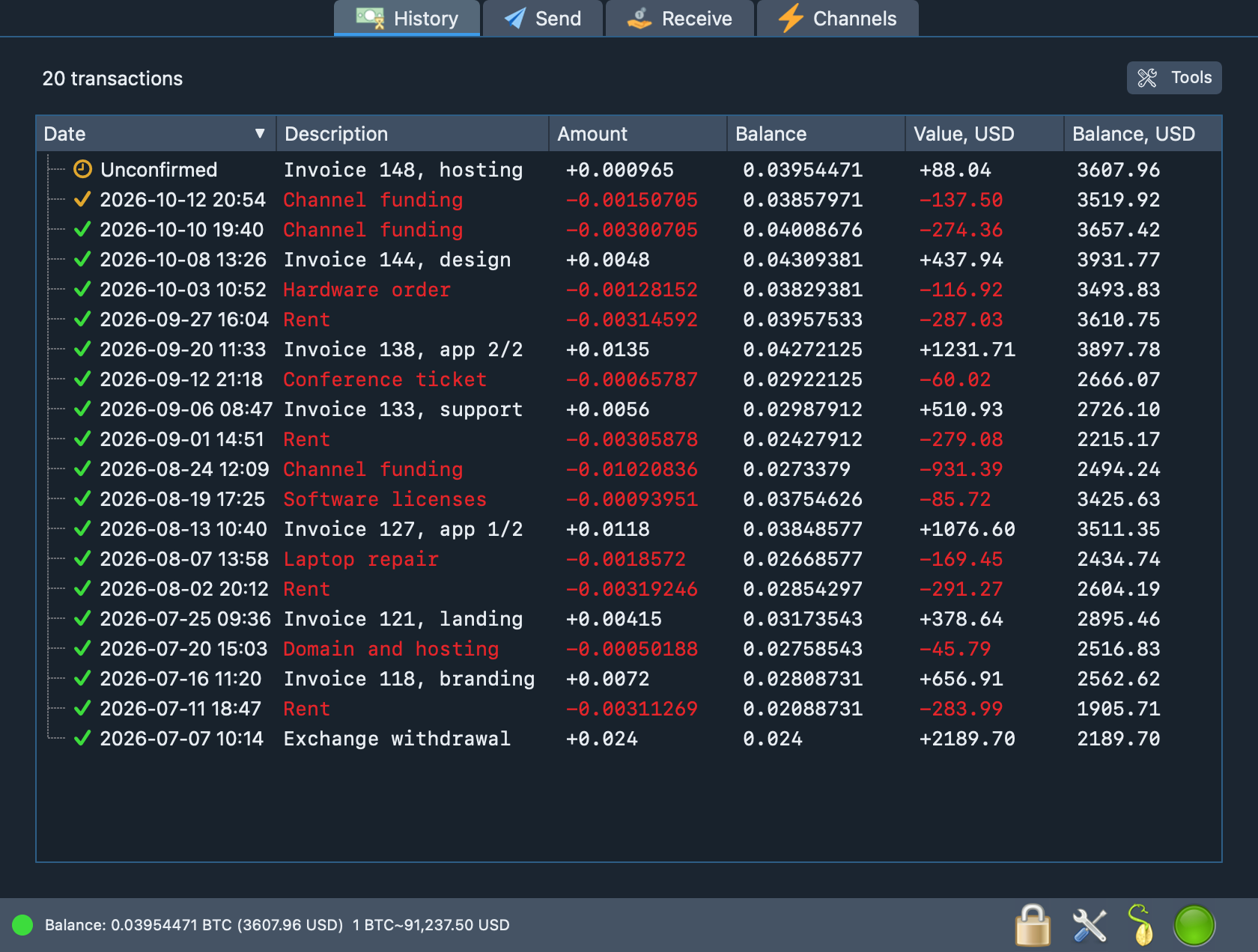
From the master key the wallet derives receiving and change addresses. For each address it asks an Electrum server for the history, scanning until it meets twenty unused addresses in a row. The transactions and block times are cached in the wallet file, and new blocks and payments reach you as push notifications — there is no polling loop to wait for.
Until the first sync finishes the status bar shows its progress, so you always know whether the balance on screen is complete.
Receive
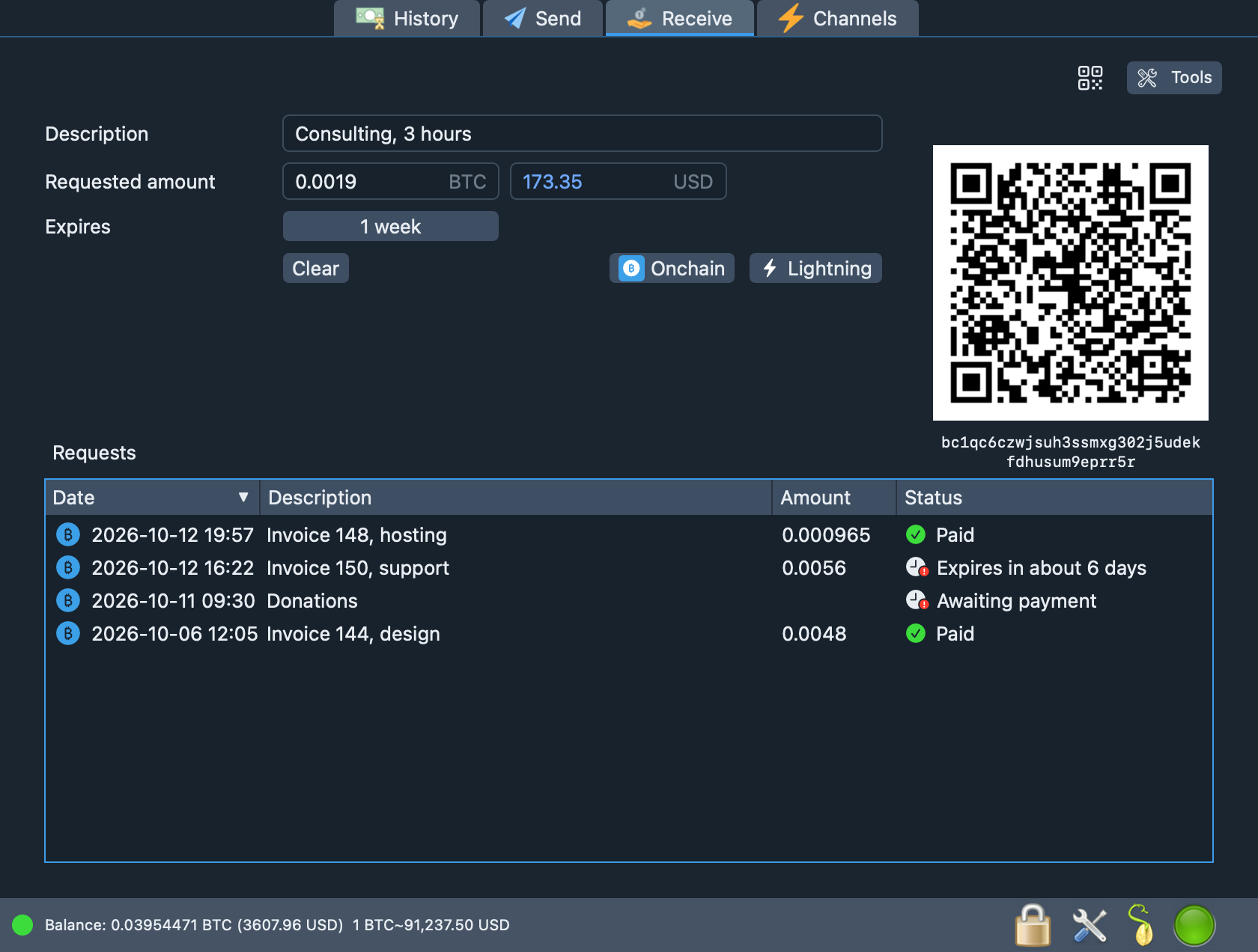
On the Receive tab you describe what you are asking for: a note, an amount in bitcoin or fiat, and an expiry from ten minutes to a week. The request is bound to a fresh address and shown as a QR code that follows the BIP21 format, so most wallets can scan it.
The list below tells you whether each request is waiting, expired, partially paid or paid.
Send
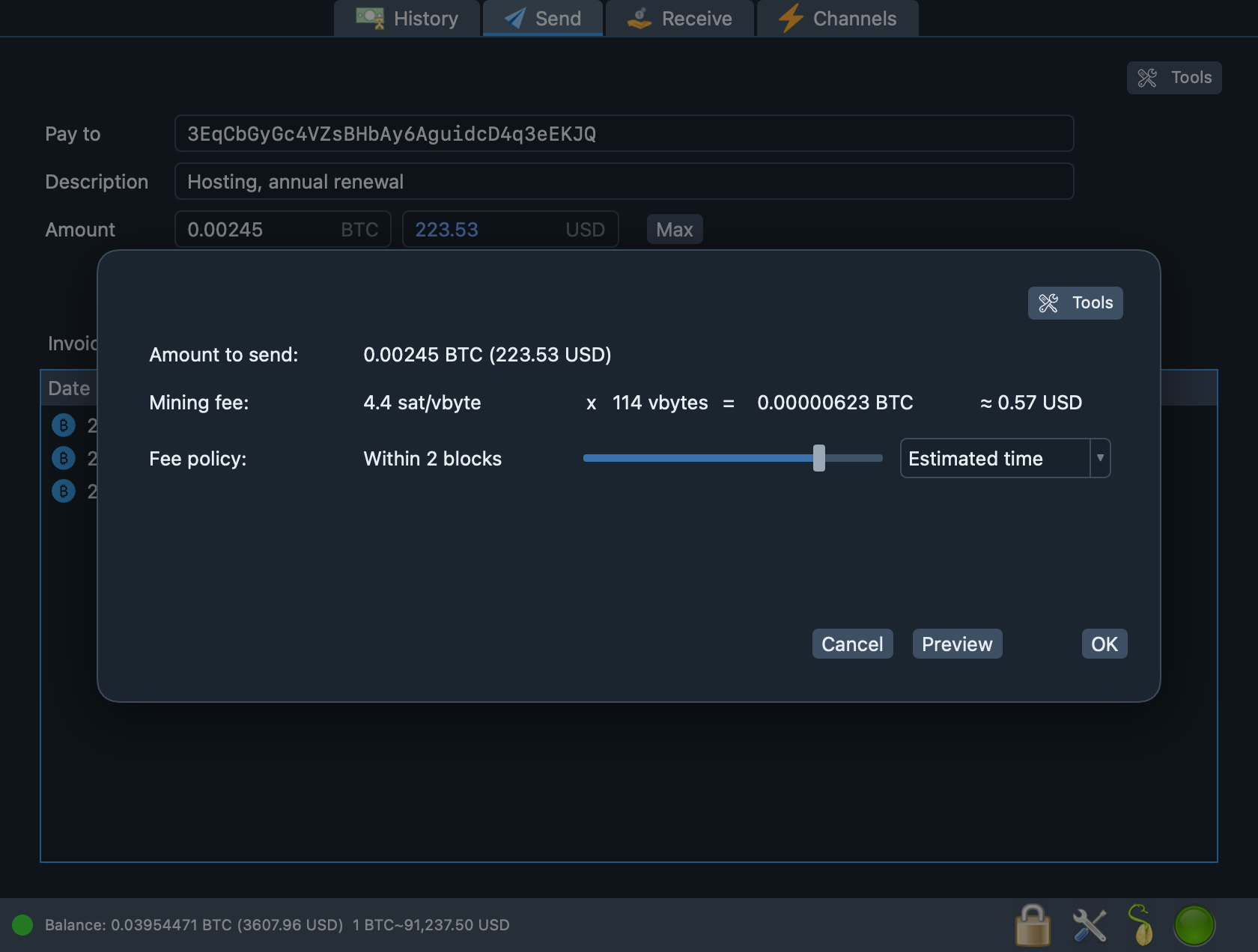
Enter an address, a note and an amount, or paste a bitcoin: link. A dialog shows the fee
policy (feerate, estimated time or mempool depth), the transaction size and
the total in bitcoin and fiat. Preview lets you inspect the unsigned transaction before anything
is signed.
Coins are selected automatically, change goes back to your own address, and replace-by-fee is on by default so a stuck payment can be bumped.
Verify
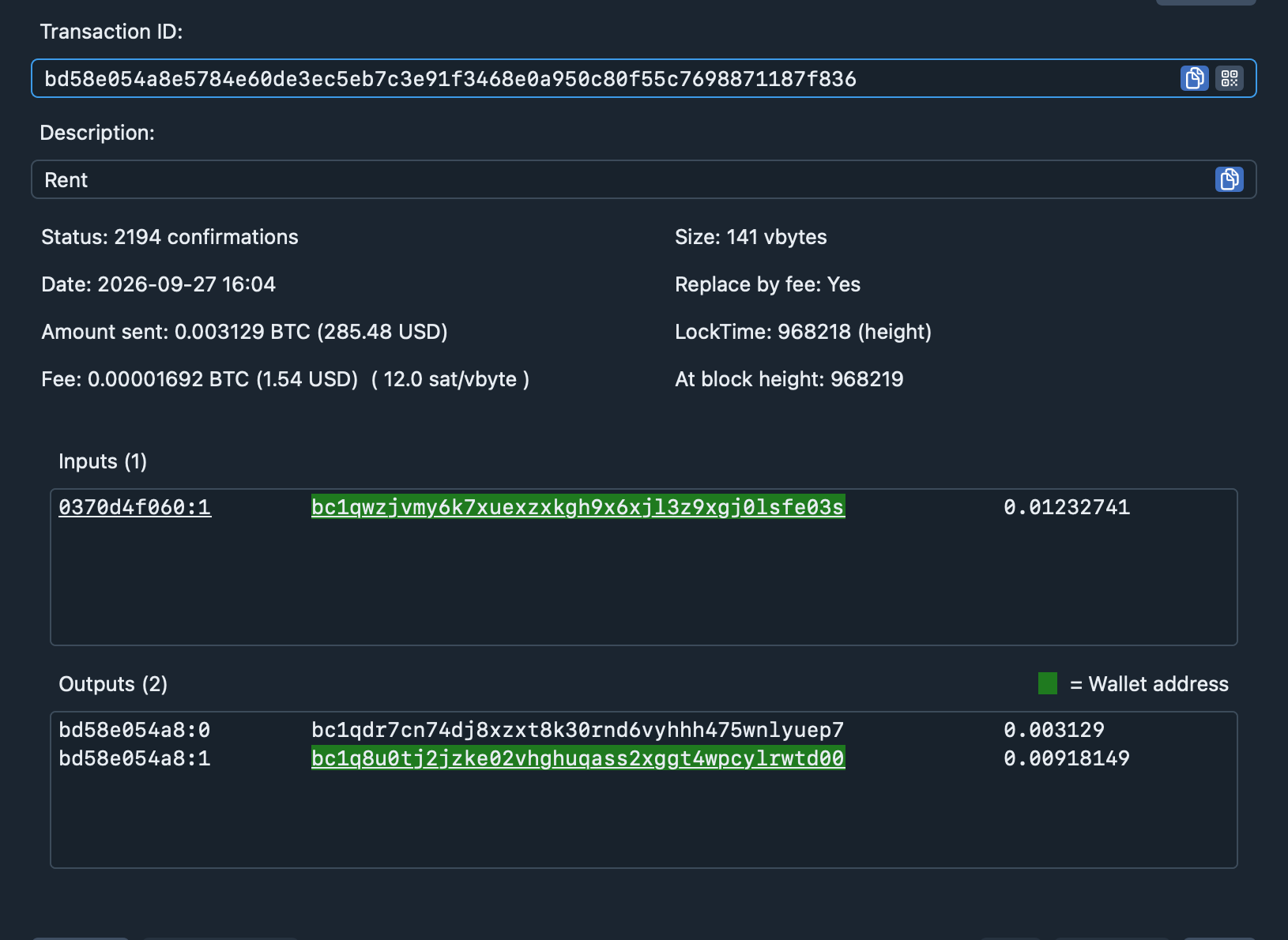
Every transaction can be opened to see exactly what it does: inputs, outputs, size, fee rate and lock time. Addresses that belong to your wallet are highlighted, so change is easy to recognise. Before a signed transaction is broadcast, the wallet checks the signatures it has just made.
Lightning channels
A Lightning node (LDK Node) runs inside the app. Its keys are derived from your wallet seed in a separate domain, so the on-chain keys are not reused. Channels are opened from a dedicated on-chain balance that you top up with a normal transaction from the main wallet.
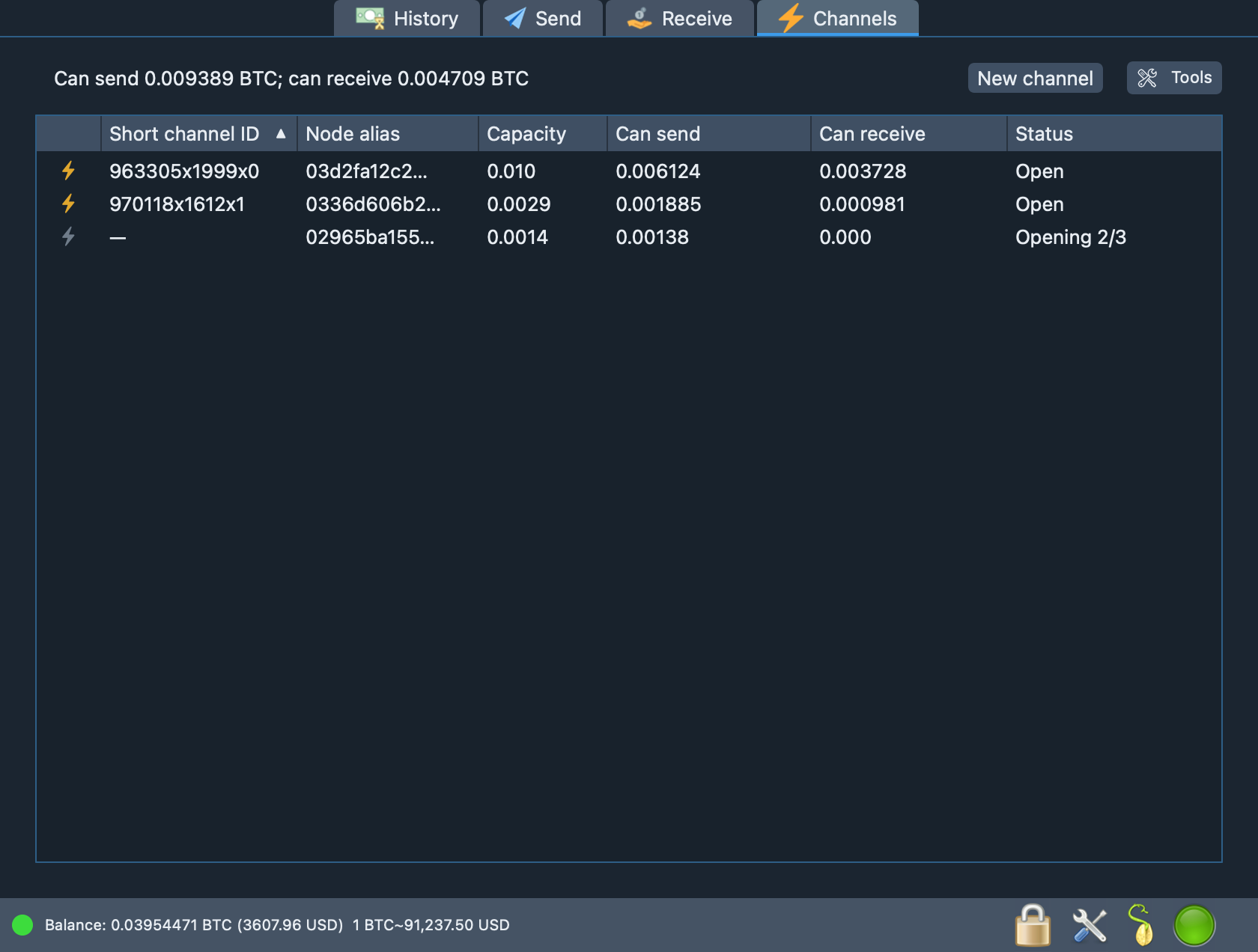
The Channels tab lists capacity, what you can send and receive, and the opening progress. Payments and invoices over Lightning are not available in this version.
Under the hood
The standards and building blocks behind each step, for those who like to check.
| Area | What is used |
|---|---|
| Seed | BIP39: 128 bits of entropy plus a 4-bit SHA-256 checksum, PBKDF2-HMAC-SHA512 with 2048 rounds. Electrum seeds: version prefix from HMAC-SHA512 over the phrase. |
| Keys | BIP32 hierarchy, paths m/84′/0′/0′, m/49′, m/44′; xpub, ypub and zpub formats. |
| Signing | ECDSA on secp256k1 (pure Swift), RFC 6979 deterministic nonces, low-S signatures; BIP143 for SegWit inputs; the signature is verified before broadcast. |
| Addresses | P2WPKH (bech32), P2SH-P2WPKH and P2PKH (Base58Check); bech32m and P2TR can be read. |
| Transactions | RBF (BIP125), locktime set to the current height, BIP21 payment links. |
| Wallet file | JSON envelope; AES-256-GCM with the format header as authenticated data; PBKDF2-HMAC-SHA512, 300,000 rounds, 16-byte salt. |
| Network | Electrum protocol 1.4 over TLS; certificate validation or pinned fingerprint; SOCKS5 or HTTP proxy. |
| Lightning | LDK Node 0.7.0 (rust-lightning and BDK); Noise_XK transport with ChaCha20-Poly1305. |
Want the threat model?
The security page lists what is protected, what the servers can see and, just as important, what Selectrum does not do yet.